Your shop. Your pantry. Your recipes.
You know what you want to eat. Nomly shows you how.
Upload a full-page screenshot of your Ocado order. Nomly turns it into a smart pantry, tracks what needs using first and creates tailored recipes from the food you already bought.
Less waste. Less dinner indecision. More from every shop.
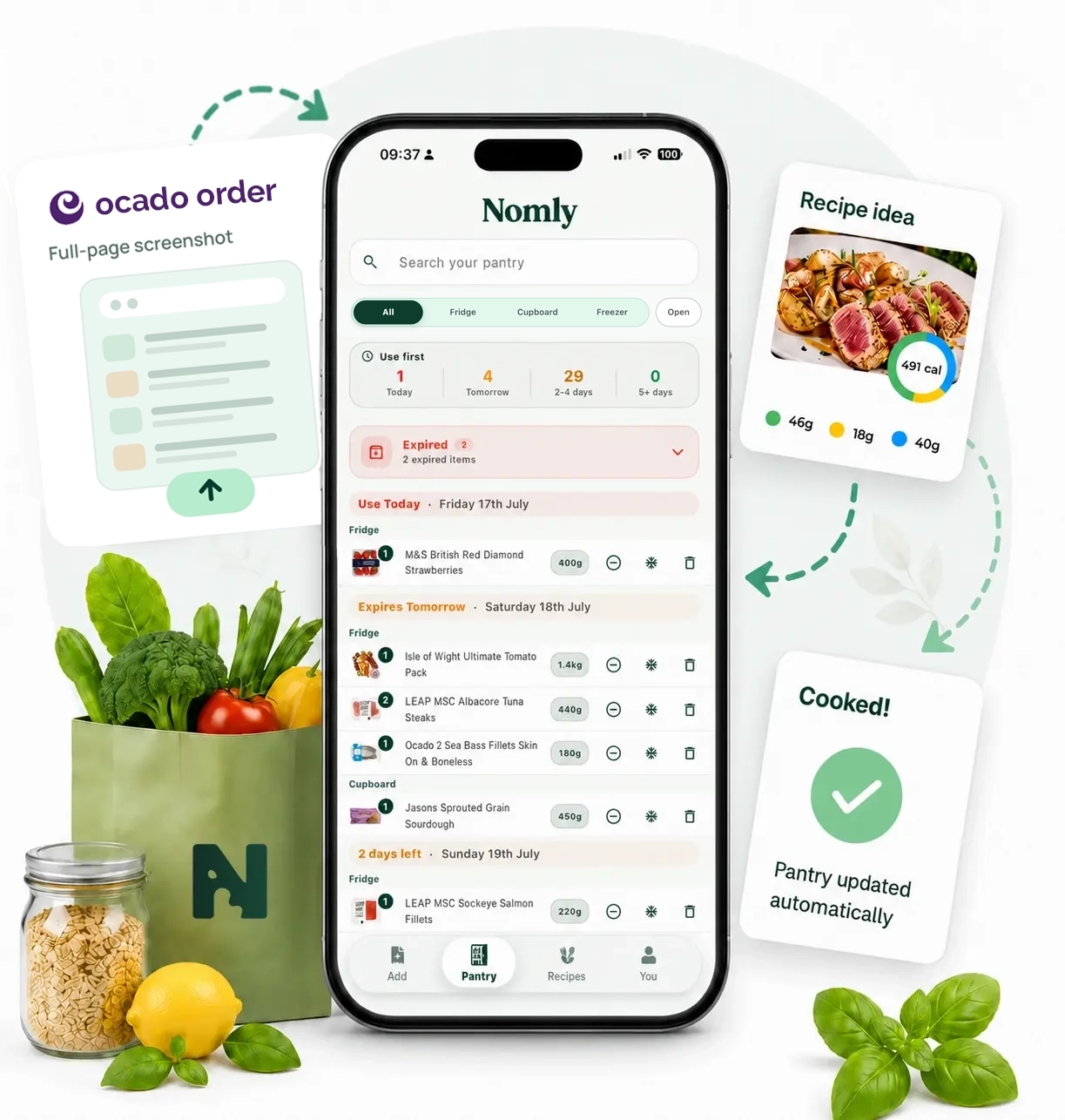
How Nomly works
One screenshot. Everything organised.
No pantry spreadsheet. No typing every product. Nomly handles the food admin.
-
01
Upload your order
Upload a full-page screenshot of your Ocado order. No manual product entry.
-
02
Your pantry builds itself
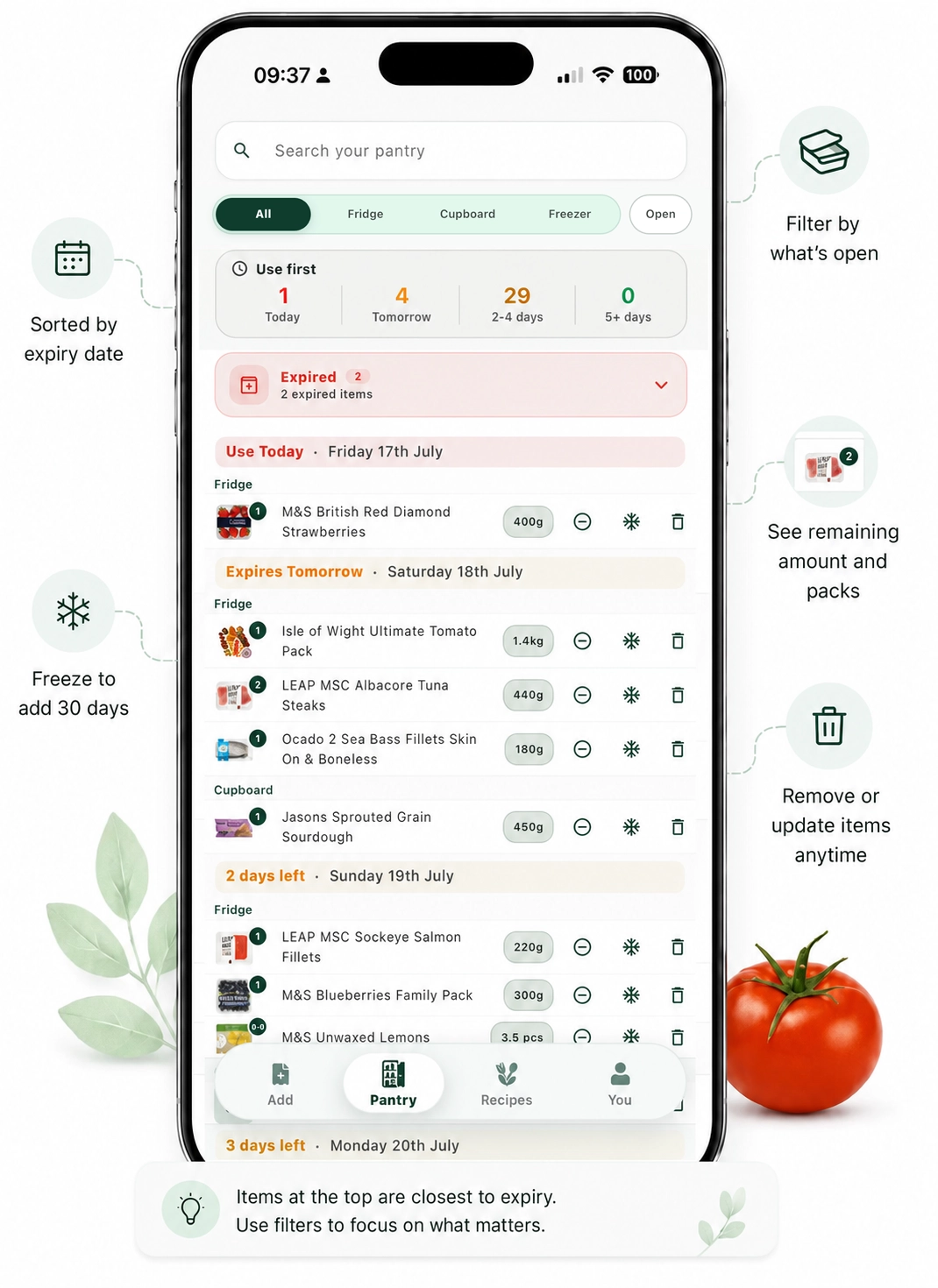
Nomly extracts products, quantities, pack sizes and available dates, then organises what needs using first.
-
03
Generate Nomly Recipes
Choose who you are cooking for, the meal, dietary needs, cuisine and anything specific you feel like eating.
-
04
Cook and update
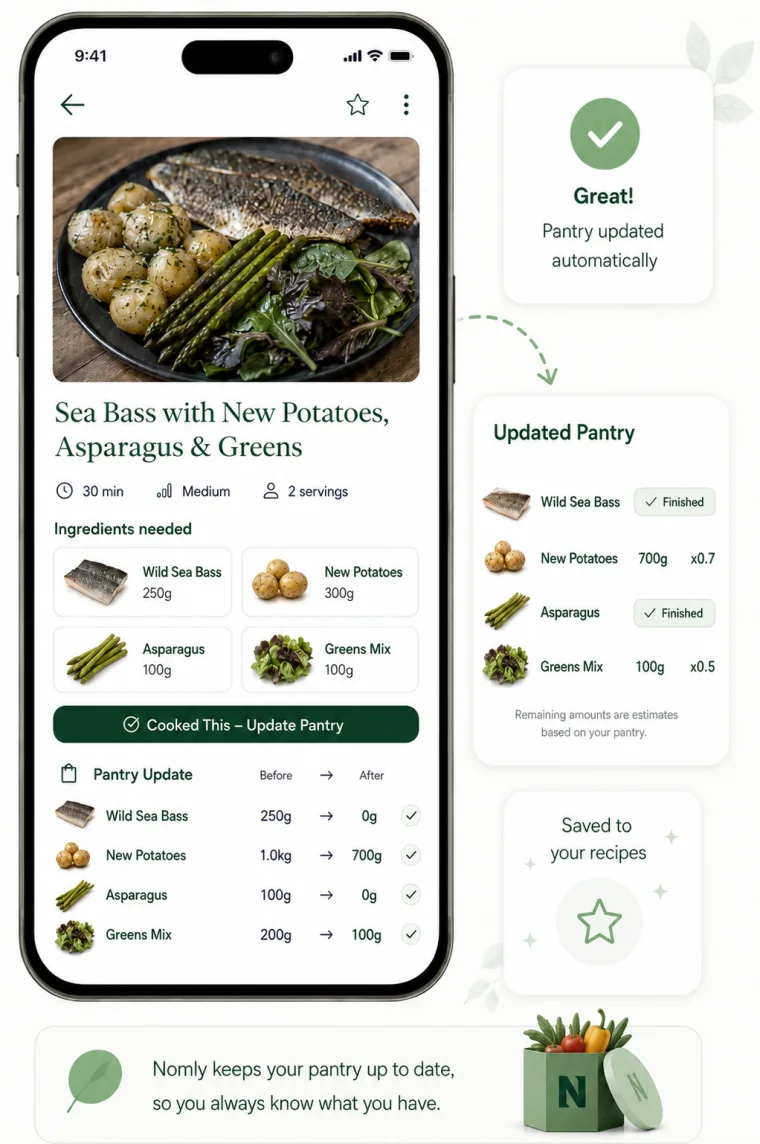
Tap “Cooked This” and Nomly automatically deducts the ingredients used from your pantry.
Built around your food
Stop shopping for recipes.
Start cooking from your shop.
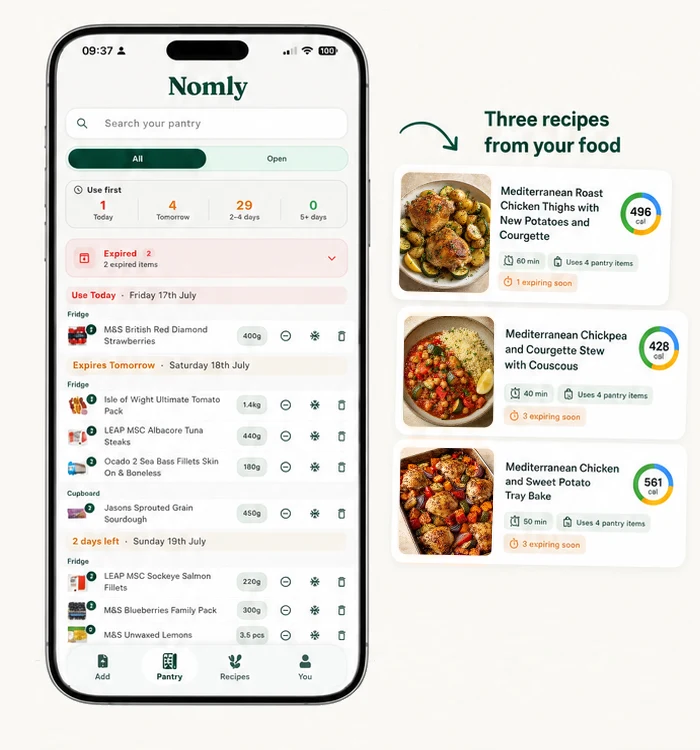
Buy the foods you enjoy and want to nourish yourself with. Nomly works out how to turn them into practical meals based on your pantry, your preferences and what needs using first.
A pantry that stays useful
Everything you bought. Ready when you are.
Nomly keeps the practical details together, so you can spend less time deciding and more time cooking.
- ✓Use food before it goes to waste
- ✓Know what is already in your kitchen
- ✓Get recipes from your actual pantry
- ✓See calories and macros per serving
- ✓Keep quantities updated after cooking
- ✓Save recipes and cook them again
Cooked This
Your pantry keeps itself up to date.
Finish a recipe, tap once and Nomly adjusts the ingredients you used—so tomorrow’s pantry still reflects what is actually in your kitchen.
Chicken800g
Potatoes1.5kg
Salad160g
Chicken300g
Potatoes1.1kg
Salad80g
Questions, answered
A simpler way to get from shop to supper.
Need help with something else? Talk to Nomly support.
What do I upload?
A full-page screenshot of your Ocado order.
Do I need to enter products manually?
No. Nomly extracts the products, quantities and available dates automatically.
How are Nomly Recipes created?
They are generated using your pantry, remaining quantities, food that needs using, household size, cooking level and preferences.
What happens when I cook?
Tap “Cooked This” and Nomly updates the quantities remaining in your pantry.
Which retailers are currently supported?
Nomly currently supports Ocado order screenshots.
Is Nomly affiliated with Ocado?
No. Nomly is an independent service and is not affiliated with or endorsed by Ocado.
Ready when your shop arrives
Your shop already has the ingredients.
Nomly finds the meal.
Turn one order screenshot into a pantry that remembers what you bought—and what to use next.

 Download Nomly
Scan to open the App Store
Download Nomly
Scan to open the App Store